
Builder Mode (Custom)
Starting with Bricks 1.3.7 you can customize the builder mode (color scheme) to your liking by tweaking a few CSS variables.
You first have to set the “Builder Mode” under Bricks → Settings → Builder to “Custom” and save your settings.
The following new setting called “Builder Mode (Custom)” should now appear:
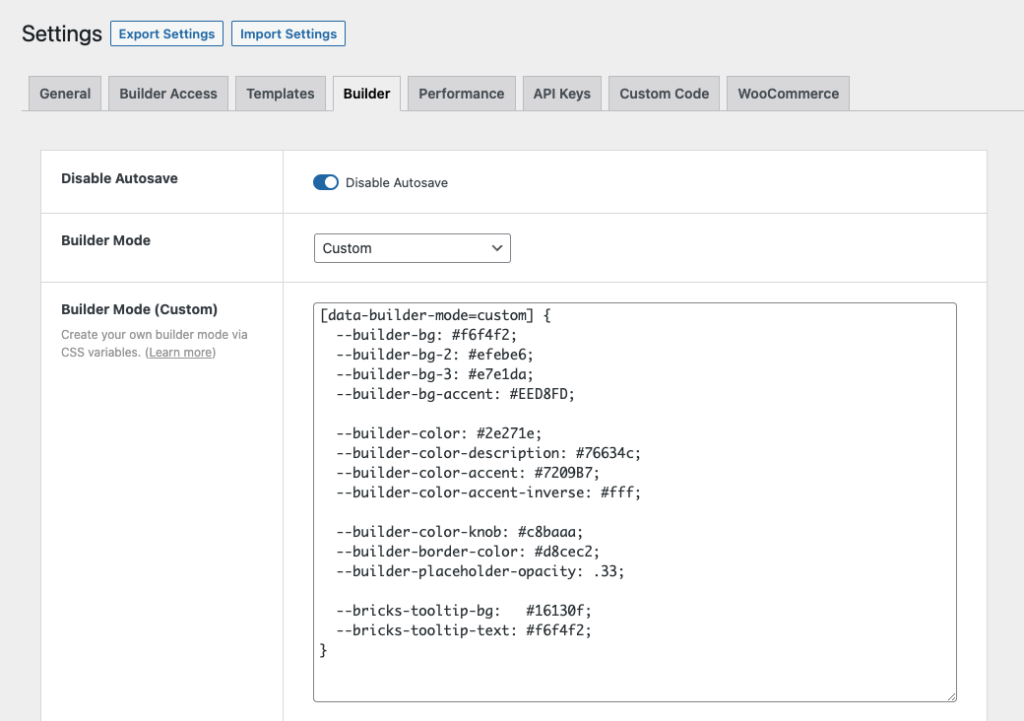
Below you can find a starter CSS snippet with commonly customized builder CSS variables. Bricks 2.x defines additional variables for classes, components, status colors, muted colors, and the canvas scrollbar, so use this as a starting point and override any extra variables your custom mode needs.
[data-builder-mode=custom] {  --builder-bg: #f6f4f2;  --builder-bg-2: #efebe6;  --builder-bg-3: #e7e1da;  --builder-bg-4: #dbd2c8;  --builder-bg-accent: #EED8FD;
  --builder-color: #2e271e;  --builder-color-description: #76634c;  --builder-color-accent: #7209B7;  --builder-color-accent-inverse: #fff;
  --builder-color-knob: #c8baaa;  --builder-border-color: #d8cec2;  --builder-placeholder-opacity: .33;
  --builder-color-class: #2b6cb0;  --builder-bg-class: #d8e8f6;  --builder-color-component: #6b46c1;  --builder-bg-component: #eadcf8;  --builder-color-info: #006c9c;  --builder-bg-info: #d9f1ff;  --builder-color-danger: #b42318;  --builder-bg-danger: #ffe4e2;  --builder-color-success: #027a48;  --builder-bg-success: #dcfae6;  --builder-color-muted: #7a6f63;  --builder-bg-muted: #e2ddd6;
  --builder-canvas-scrollbar-thumb: #c8baaa;  --builder-canvas-scrollbar-thumb_hover: #76634c;  --builder-canvas-scrollbar-track: #efebe6;
  --bricks-tooltip-bg:   #16130f;  --bricks-tooltip-text: #f6f4f2;}
If you copy the CSS above, paste it into your “Builder Mode (Custom)” setting, and save your settings, your builder should look like this:
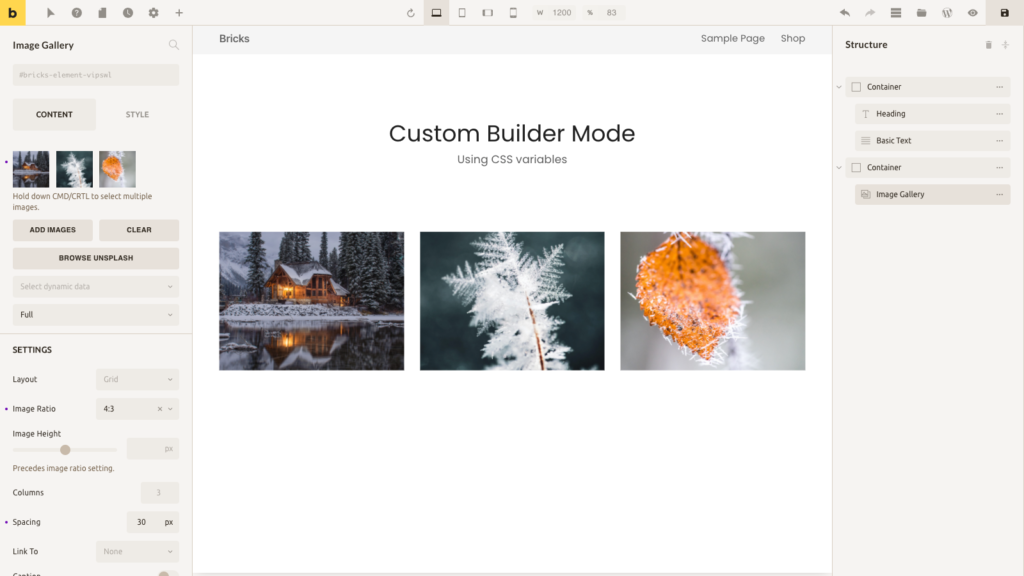
Bricks builder with a custom color scheme (mode)
Resources
Section titled “Resources”- Color palettes: https://coolors.co/palettes/trending
- Color palettes: https://colorhunt.co
- Generate color shades & tints: https://www.colorhexa.com
Note: In custom builder mode, Code element’s background color changes to a light color scheme.
Was this helpful?
A quick vote and short notes help us improve these docs faster.
Leave a note for us
Please do not include passwords, license keys, or personal data. We store submitted notes to improve the docs.
Thanks for sharing feedback. We're using it to improve these docs.