
Query results summary
The Query Results Summary element, introduced in version 1.12.2, allows you to display a dynamic count of results within a query, helping users understand which items they are currently viewing in relation to the total number of results. This is particularly useful for search results, archive pages, and paginated lists where users navigate through multiple pages of content. It can be found in the elements panel under the “Query” category.
Note: If a third-party plugin disables Bricks Query history via the bricks/query/force_run hook, the results summary may display incorrect information.
Compatibility
Section titled “Compatibility”The Query Results Summary element updates with Bricks’ native AJAX actions, including:
- AJAX Pagination
- Load More
- Infinite Scroll
- Query Filters
This ensures that the summary updates dynamically as users interact with query-based elements on the page.
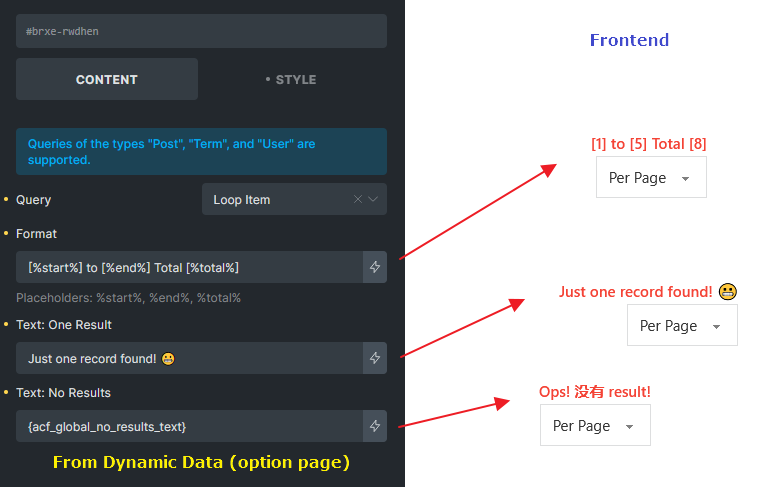
Example:
Settings
Section titled “Settings”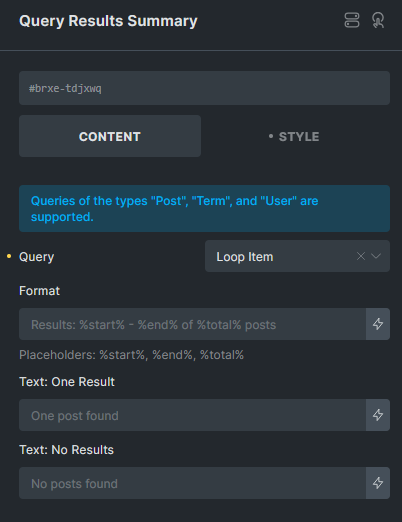
Select the target query for which the summary should be displayed.
For a listing with synced map markers, select the results loop containing Map Connectors. The summary describes that loop’s results. See map queries and interactive listings.
Format
Section titled “Format”Customize the summary text using placeholders:
%start%: The numeric starting position reported by the query.%end%: The numeric ending position reported by the query.%total%: The total number of results.
Default format: Results: %start% - %end% of %total% posts
Example output: Results: 1 - 5 of 14 posts
Native post, term, and user queries normally report one-based positions. A query without a populated range, including a provider-backed ACF loop, can report 0 for the start or end position.
Developers can override the reported positions with bricks/query/result_start and bricks/query/result_end. These filters change summary metadata only. They do not skip or limit items, change the total count, or fetch another page.
Text: One Result
Section titled “Text: One Result”Define a custom message when the query returns exactly one result to handle singular/plural differences.
Default text: One post found
Text: No Results
Section titled “Text: No Results”Specify a custom message when the query returns zero results.
Default text: No posts found
Was this helpful?
A quick vote and short notes help us improve these docs faster.
Leave a note for us
Please do not include passwords, license keys, or personal data. We store submitted notes to improve the docs.
Thanks for sharing feedback. We're using it to improve these docs.