
Filters Control
The filters control applies visual effects to an element, including blur, brightness, contrast, grayscale, hue rotation, invert, opacity, saturation, sepia, and drop shadow. Multiple effects combine in a single CSS filter declaration.
Grayscale and Drop shadow are available from Bricks 2.5.
Using CSS Filters
Section titled “Using CSS Filters”Select an element and open Style > CSS > CSS Filters. Click the filter icon to open the controls.
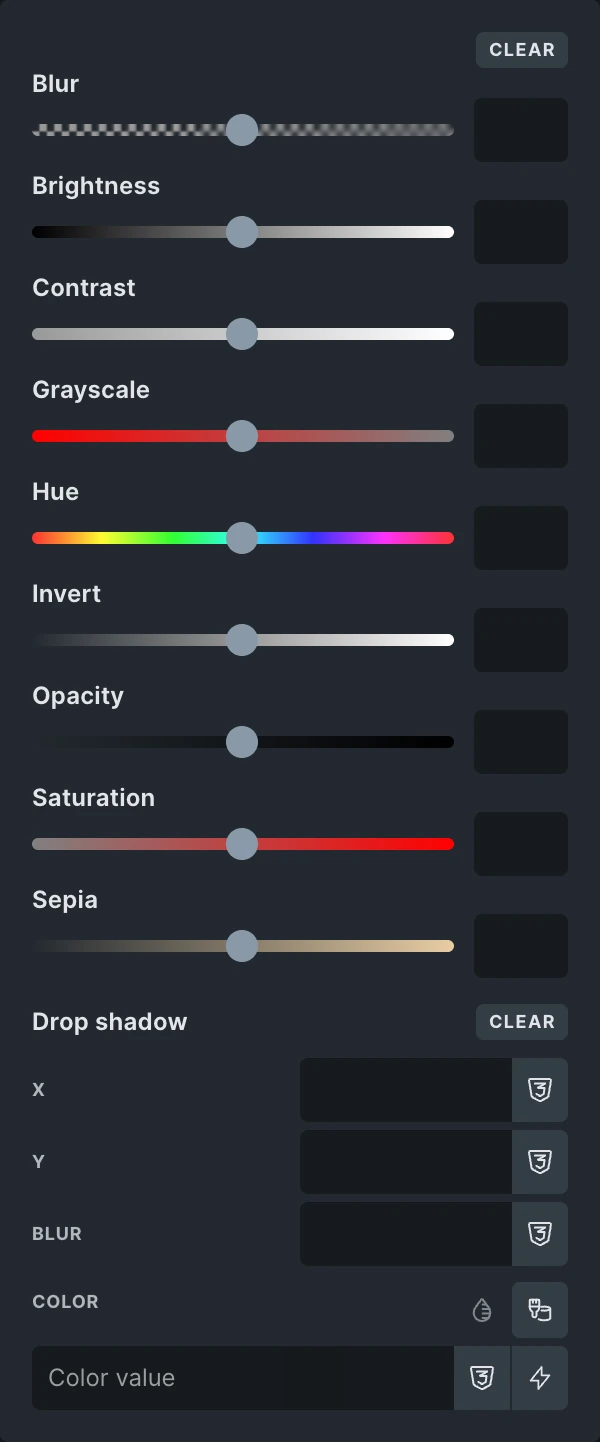
Grayscale
Section titled “Grayscale”Set Grayscale between 0 and 1: 0 keeps the original colors, 0.5 partially removes color, and 1 removes all color. Clear the field to remove this filter.
Drop shadow
Section titled “Drop shadow”Drop shadow follows the visible shape of the content, including the opaque parts of a transparent image. This makes it useful for cutout product images, icons, and text. A box shadow follows the element’s box instead.
| Setting | Effect |
|---|---|
| X | Horizontal offset. Positive values move the shadow right; negative values move it left. |
| Y | Vertical offset. Positive values move the shadow down; negative values move it up. |
| Blur | Softness of the shadow. Use 0 for a sharp edge and a positive value for a softer shadow. |
| Color | Shadow color. Set its opacity in the color picker for a translucent shadow. |
Numeric dimensions use pixels. You can enter a unit such as rem; omitted dimensions use 0. Drop shadow has no spread or inset setting.
For example, set Grayscale to 1, then set the shadow’s X to 6, Y to 8, Blur to 4, and Color to #3366cc. This combines a monochrome effect with a blue shadow. Both effects can be used alongside the other filter controls.
Click Clear beside Drop shadow to remove only the shadow. The Clear action at the top of the popup removes all filters in this control.
The native control provides one value per filter type. It does not provide SVG filter URLs, repeated filters, or a filter reordering interface. Use custom CSS for a filter chain that needs those features.
Adding a filters control to a custom element
Section titled “Adding a filters control to a custom element”Use the filters control type and map it to the CSS filter property. The example below applies the selected effects to the element’s .css-filter child.
class Prefix_Element_Filters extends \Bricks\Element {  // Set builder controls  public function set_controls() {    $this->controls['exampleFilters'] = [      'tab' => 'content',      'label' => esc_html__( 'CSS filters', 'bricks' ),      'type' => 'filters',      'inline' => true,      'css' => [        [          'property' => 'filter',          'selector' => '.css-filter',        ],      ],    ];  }
// Render element HTML public function render() { echo '<div class="css-filter">' . esc_html( get_bloginfo( 'name' ) ) . '</div>'; }}Was this helpful?
A quick vote and short notes help us improve these docs faster.
Leave a note for us
Please do not include passwords, license keys, or personal data. We store submitted notes to improve the docs.
Thanks for sharing feedback. We're using it to improve these docs.