
HTML & CSS to Bricks
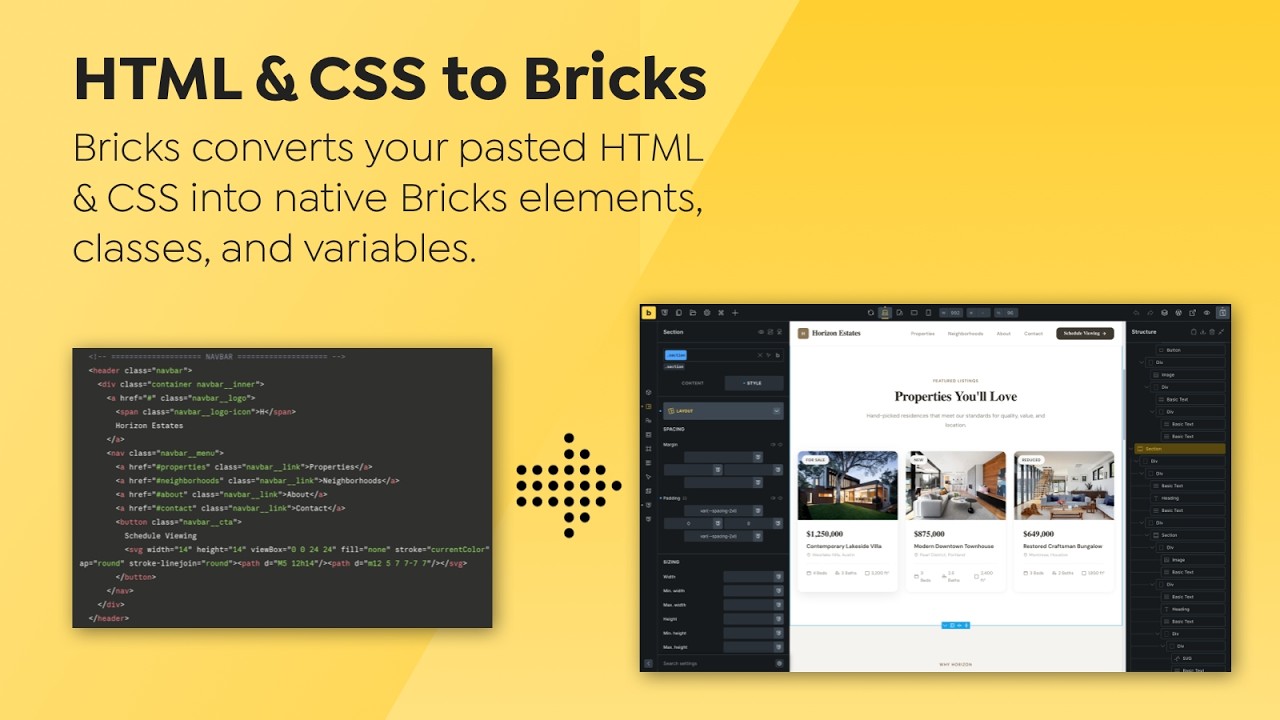
Building a layout in Bricks based on a web layout library or AI-generated layouts usually means building it from scratch, element by element. This feature changes that workflow. You can now paste HTML or CSS directly into the builder to create native elements and styles instantly.
Configuration
Section titled “Configuration”You can control how Bricks handles pasted code in the settings.
Path: Bricks > Settings > Builder > HTML & CSS to Bricks
- Enabled (confirm on paste): A dialog appears asking for permission to convert the code on paste.
- Enabled (no confirm on paste): Bricks converts the code automatically on paste.
- Disabled
Paste requirements
Section titled “Paste requirements”HTML & CSS to Bricks reads your clipboard through the browser Clipboard API. Open the builder in a secure context, such as HTTPS or a local origin that your browser recognizes as trustworthy.
If you use LocalWP or another local domain, enable and trust its SSL certificate, then open the builder over HTTPS before testing the paste action. If pasting has no visible effect, allow clipboard access for the site in your browser settings, reload the builder, and retry with the HTML example below.
How it works
Section titled “How it works”When you paste HTML or CSS, the builder identifies the content type and initiates a conversion process.
HTML conversion
Section titled “HTML conversion”Bricks parses the HTML and maps standard tags to native elements.
<section>becomes a Section element.<div>becomes a Div.<h1>through<h6>become Headings.<img>becomes an Image.
Global classes & variables
Section titled “Global classes & variables”The converter identifies classes in your code and creates corresponding Bricks global classes and global variables.
- Mapped styles: Properties like margin, padding, and typography are applied directly to the Bricks UI controls.
- Custom CSS: Properties that do not have a dedicated UI control are added to the element’s Custom CSS area.
- Variables: Any variables defined in
:rootare converted into Bricks Global Variables.
Responsive class styles
Section titled “Responsive class styles”When a class uses a simple @media (max-width: ...) rule that exactly matches a configured Bricks breakpoint, supported declarations can become native controls at that breakpoint. For example, a .card padding rule at the site’s mobile breakpoint can appear under that breakpoint’s padding controls. Declarations without a matching control remain in Custom CSS. Compound or nested media conditions, unmatched widths, and rules whose source order cannot be represented by Bricks breakpoint order stay in Custom CSS rather than being applied at the wrong breakpoint.
Example: HTML with a global class
Section titled “Example: HTML with a global class”Copy both the HTML and CSS, then paste them into the builder:
<section class="feature">  <h2>Built for client work</h2>  <p>Start with a native Bricks structure, then refine it in the builder.</p></section>
<style>  :root {    --feature-space: 2rem;  }
  .feature {    padding: var(--feature-space);    background-color: #f4f4f4;  }</style>
Bricks creates native Section, Heading, and text elements. It also creates the feature global class and the --feature-space global variable. Supported declarations are mapped to builder controls; remaining declarations stay in custom CSS.
Example: CSS-only paste
Section titled “Example: CSS-only paste”Paste CSS by itself when the structure already exists and you only need classes or variables:
:root {  --card-radius: 12px;}
.card {  border-radius: var(--card-radius);  padding: 1.5rem;}
Bricks creates the variable and global class. Apply the new card class to an element from the builder.
Security
Section titled “Security”Bricks will not execute JavaScript or load external stylesheets automatically upon pasting until reviewed.
Any detected scripts or external links are placed inside a Code element. You must manually review, sign, and save these elements before they are executed.
For example, pasting <script>console.log('Ready')</script> creates a Code element. The script remains inactive until a user with permission reviews and signs it.
Imports through AI abilities
Section titled “Imports through AI abilities”When an AI client imports HTML or CSS through Bricks abilities, Bricks checks the target and the connected user’s permissions. Disallowed content is omitted automatically. A one-call import can apply the retained content and returns a prominent partial result with every omitted element and the reason it was omitted. An explicit preview is also available.
If the retained tree is empty or invalid, the import is rejected. A nonempty replacement is also rejected when source content was omitted or invalid, because it could remove existing content incompletely.
HTML and CSS imports do not grant PHP access. Without unfiltered_html, HTML is limited to WordPress safe post HTML (KSES). CSS follows the relevant style and resource permissions. JavaScript requires WordPress unfiltered_html and permission to edit the target. Code elements keep their existing Execute code permission, global code execution setting, and signing requirements. The abilities do not bypass those requirements. PHP in supported Code fields requires the separate PHP abilities opt-in and its signing safeguards. See AI Abilities and Skills.
- Refinement: The conversion provides a structural foundation. Because your site has existing theme styles and theme or plugin CSS, the output may require further manual adjustments to match the source perfectly.
- Permissions: You must have the user permission to “Create global classes” for the converter to generate styles correctly.
- CSS-only paste: If you paste only CSS, Bricks will generate the global classes and variables.
- Missing class styles: Confirm that your role can create global classes. Without that permission, the converter cannot create the class records used by the imported CSS.
Was this helpful?
A quick vote and short notes help us improve these docs faster.
Leave a note for us
Please do not include passwords, license keys, or personal data. We store submitted notes to improve the docs.
Thanks for sharing feedback. We're using it to improve these docs.