
Cart v2
Displays the WooCommerce cart page as editable Filled cart and Empty cart states.
Where this element works
Section titled “Where this element works”Cart page.
Key settings
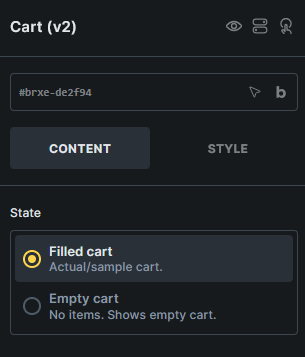
Section titled “Key settings”- State (radio) - Switches the builder preview between Filled cart and Empty cart.
States
Section titled “States”- Filled cart - Used when the cart contains products.
- Empty cart - Used when the cart has no products.
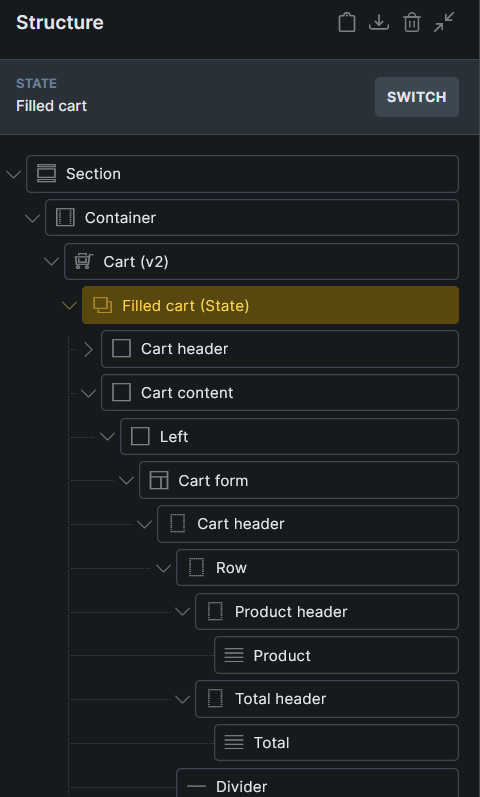
The generated Cart v2 structure keeps both states as internal child elements, so you can edit each state from the Structure panel.
Generated structures
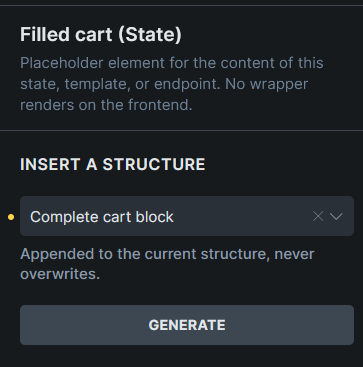
Section titled “Generated structures”Each state can generate starter content from Insert a structure:
- Complete cart block
- Complete empty cart block
Generated structures are appended to the current state content and do not overwrite existing content.
Query loops and dynamic data
Section titled “Query loops and dynamic data”Use the Cart contents query loop for custom cart item rows. Cart v2 layouts can also use cart total tags such as {woo_cart_items_count}, {woo_cart_order_subtotal}, {woo_cart_order_total}, {woo_cart_shipping_method}, {woo_free_shipping_remaining}, and {woo_free_shipping_progress}.
See WooCommerce v2 query loops and dynamic tags for the complete reference.
Usage tips
Section titled “Usage tips”- Use WooCommerce advanced modular elements or the Woo Setup Wizard to create the recommended Cart v2 structure.
- Design both states so the cart page is complete whether the customer has products in the cart or not.
- Use the classic Cart template workflow if you prefer separate Cart and Empty Cart templates.
Was this helpful?
A quick vote and short notes help us improve these docs faster.
Leave a note for us
Please do not include passwords, license keys, or personal data. We store submitted notes to improve the docs.
Thanks for sharing feedback. We're using it to improve these docs.